
Capafy AI Video Generator
Build a clear text-to-video or image-to-video request, compare creative controls, and explore what different motion styles can do before you spend a credit.
Four decisions that shape the result
AI video quality starts with a brief that separates what must stay consistent from what is allowed to move.
Give the shot one clear subject
Name the person, product or place that leads the frame. Add supporting details only after the main subject and action are unmistakable.
Describe motion as a sequence
Write what changes first, what follows and where the shot should settle. A simple beat-by-beat action is easier to control than a pile of adjectives.
Use references for identity and shape
A reference image can anchor appearance, wardrobe, product geometry or visual style. Clear edges and readable lighting give the model more useful evidence.
Choose the model for the shot
Fast drafts, cinematic camera motion, reference fidelity and native audio are different priorities. Match the model family to the thing you cannot compromise.
A video list built to load only when you ask
Posters appear first. Hover, focus or tap one clip to load it; starting another pauses the previous video.
Three ways creators can use one workspace
Start from the outcome, then choose references, format and motion that support it.
Campaign concepts
Turn a product message into a visual hook, a hero shot and a short closing beat for ads or landing pages.
Plan a campaign shotVertical social stories
Frame the subject for 9:16, make the first movement readable without sound and leave a safe area for captions.
Build a vertical briefProduct motion studies
Explore camera paths, lighting changes and object behavior before committing to a longer production or reshoot.
Explore product motionDirect the camera, not just the subject
“A person walks through a city” leaves the lens undefined. Add shot size, camera path, speed and stopping point to give the sequence an intentional visual grammar.
- Start with one visible action
- Name the camera movement once
- Use lighting to support the mood

Protect the details that make a reference useful
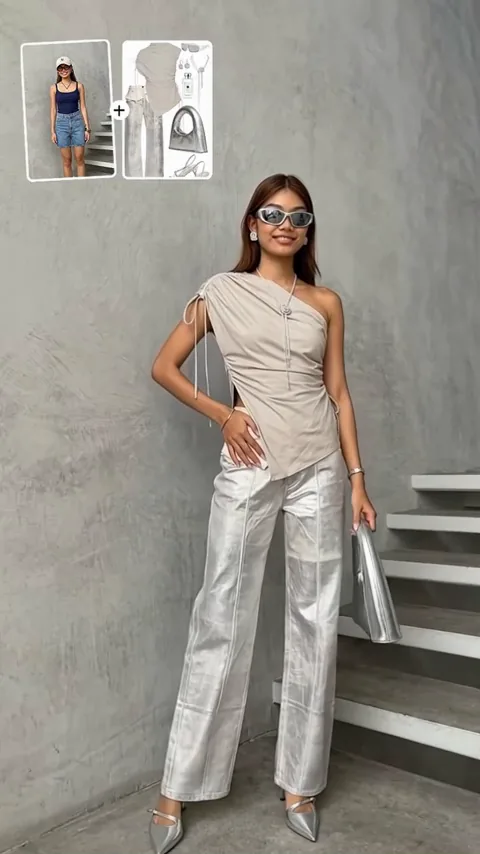
Identity, outfit, silhouette and product geometry need a clean starting image. Ask for believable motion that the visible pose and perspective can support.
- Keep the subject large enough to read
- Avoid hidden hands and overlapping faces
- Describe change without replacing identity
Test one creative variable at a time
Keep the prompt and format stable while comparing models, or keep the model stable while changing motion. Controlled comparisons reveal which setting actually improved the shot.
- Save a baseline brief
- Change model, motion or style—not all three
- Review identity, continuity and framing separately
Prepare the frame before you animate it
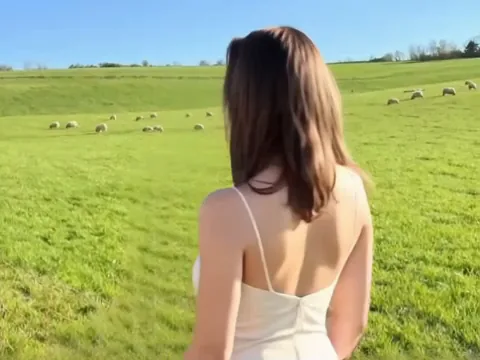
A strong still image can do more for consistency than another paragraph of prompt text.
Create a starting frame
Build the composition, subject and lighting as a still before asking the scene to move.
Refine the reference
Clean distractions, preserve the subject’s outline and leave enough space for the intended camera move.
Design an ending frame
For supported workflows, define where the action lands so the movement has a visible destination.
Review the brief before it becomes a job
- Subject
- Who or what leads the frame?
- Action
- What changes, and in what order?
- Camera
- Where does the viewer move or stop?
- Look
- What lighting, palette and texture matter?
- Delivery
- Which ratio, length and audio state fit the destination?
Generated does not mean ready to publish
Inspect faces, hands, logos, small text, product details, continuity and sound. Confirm permission from people shown in references and check the selected model’s commercial terms.
AI video can be expressive without being factual. Label synthetic media when context requires it and never present a generated scene as evidence of a real event.
Read the current use termsChoose how you want to explore Capafy
Only the free preview is active today. Paid plan prices will appear here before checkout opens.
Free workspace
$0 today
- Interactive request planner
- Short video examples
- Prompt and workflow guidance
Creator
Coming soon
- Private generation history
- Model-specific credit quotes
- Downloadable video results
Studio
Custom
- Higher-volume planning
- Shared creative review
- Production support path
No paid checkout is active. Capafy will show the exact amount, credit delivery and refund terms before accepting a purchase.
Capafy AI video generator FAQ
What the current preview does, how to plan better requests, and what will be confirmed before generation opens.
What can I prepare in Capafy?
You can shape a text-to-video or image-to-video request, compare model strengths, choose format and duration, and study short visual examples before generation access is enabled.
Which AI video models does Capafy cover?
The workspace is designed around widely used video model families including Sora, Kling 3, Seedance 2.5, Veo, Runway and Wan, with room for more than 40 model and workflow choices. Availability will be confirmed inside the generator before paid use begins.
Can I start from an image?
Yes. Image-to-video planning is part of the interface. Use a clear, rights-cleared reference image and describe the movement, camera behavior and changes you want to see.
Does Capafy generate audio?
Some model families can create native audio while others are visual-only. The interface keeps audio as an explicit option so you can see whether it applies to the selected workflow.
How should I write an AI video prompt?
Describe the subject, action, environment, shot size, camera movement, lighting and pace. Keep the main action clear, then add style details that support rather than compete with it.
Are the examples generated videos?
Yes. The short showcase clips demonstrate different compositions, motion patterns and aspect ratios. They are inspiration, not promises that every prompt will produce the same result.
Is billing active?
Not yet. The current public release is a frontend preview, so no card is charged and no generation credits are sold. Pricing and checkout will be confirmed before billing is enabled.
Can I use results commercially?
Commercial rights depend on the selected model, your plan and the rights you hold in prompts, reference media, people, brands and music. Review the applicable terms before publishing.